
For EnigMarch 2026, we asked puzzle designers to walk us through the creation of a puzzle of their choice. Read on for a tutorial by EnigMarch organizer Sarah Willson on how to create a drop quote puzzle in a spreadsheet.
When it’s already 10pm and I need a quick puzzle for EnigMarch, I can always count on drop quotes. Once you have a template to work from, it can take less than 15 minutes to make one. Truly an EnigMarch secret weapon! Usually the only hard part is finding the right quote.
If you’re not familiar, a drop quote, also known as quotefall or quote box, is a word puzzle where you fill in a quotation or saying from letters in columns above the grid, which drop down into the empty squares below.
Here’s an example I made for EnigMarch 2025:
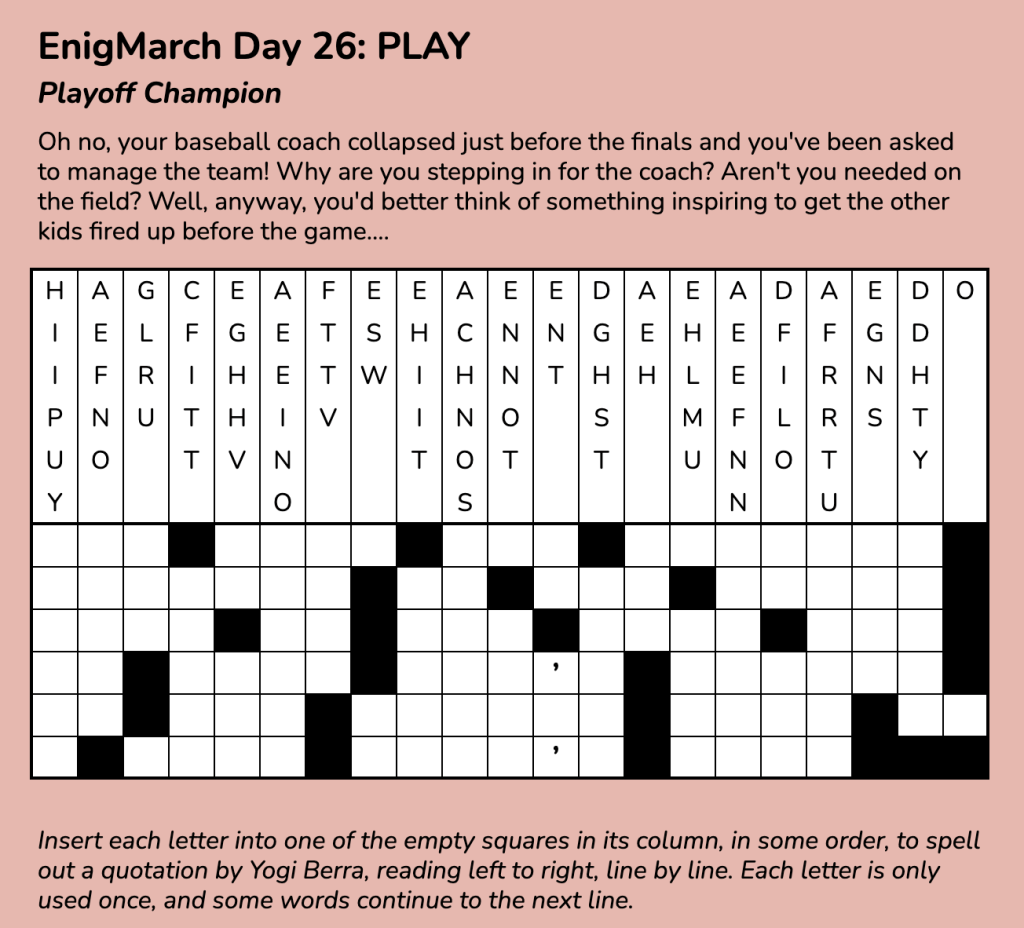
You can find a Google Sheets version of the puzzle here. Choose “make a copy” from the File menu if you’d like to try solving the puzzle before continuing—and feel free to use it as a template to build your own puzzle!
Choosing the Right Quote
The first step, as you might have guessed, is to figure out a message to build the puzzle around. For an EnigMarch puzzle, the prompt should provide a direction. In this case, the prompt PLAY led me to search for some wise words from a particularly quotable athlete.
“You give one hundred percent in the first half of the game, and if that isn’t enough, in the second half you give what’s left.” —Yogi Berra
What works well? A fairly short statement, usually one sentence. I look for something around 100 to 150 characters, including spaces. But there are no rules, so you can make your message as long or short as you like—just keep in mind it will affect the puzzle’s difficulty.
Another consideration is the punctuation in the message. I’ve noticed that some constructors include punctuation like commas and apostrophes in the quote grid, while others omit them, which can make the puzzle more difficult to solve. Either way is fine, but things can get awkward if the sentence structure is more complex (e.g., dashes, parentheses, or a list separated by commas). You’ll start to get a feel for what works best after creating a few of these.
Constructing the Grid
Now it’s time to open up that spreadsheet and prepare a grid to fit your quote. How wide and how tall does the grid need to be? Count the number of characters in your message (many character counter websites exist for this purpose), and then decide how many rows you want to use, keeping in mind that if a word hits the end of a row, it wraps to the next line.
Most drop quote puzzles are four to six rows high; if your message is very short, you may want to use four, and if it’s longer, six might be a better fit. The spaces will also fall differently in the grid depending on the number of rows, so try out different configurations and see what feels right. Also remember that the more rows you use, the harder the puzzle will be.
Our example quote is 123 characters long—including spaces and apostrophes, but without the commas and period—which means the grid will need to have at least that many squares. Since it’s a bit on the long side, we’ll go with six rows; dividing 123 by 6 gives you 20.5, which means a width of 21 will cover it.
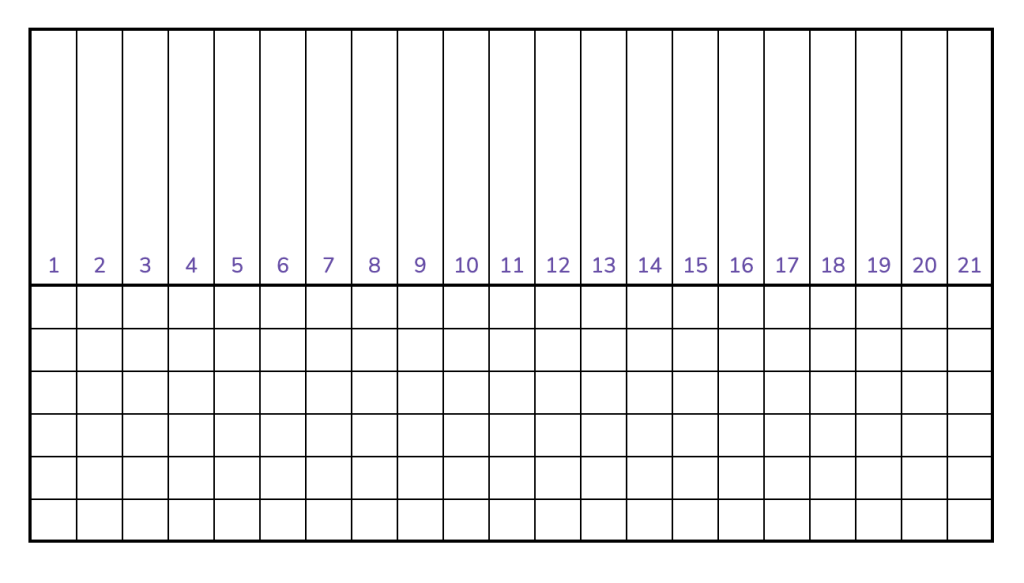
Once you have a grid of the proper width and height (including the columns above for the letter banks), you can start entering the quote into the grid, leaving blank squares between each word. If a word ends in the last column, don’t forget to put in the space at the beginning of the following line.
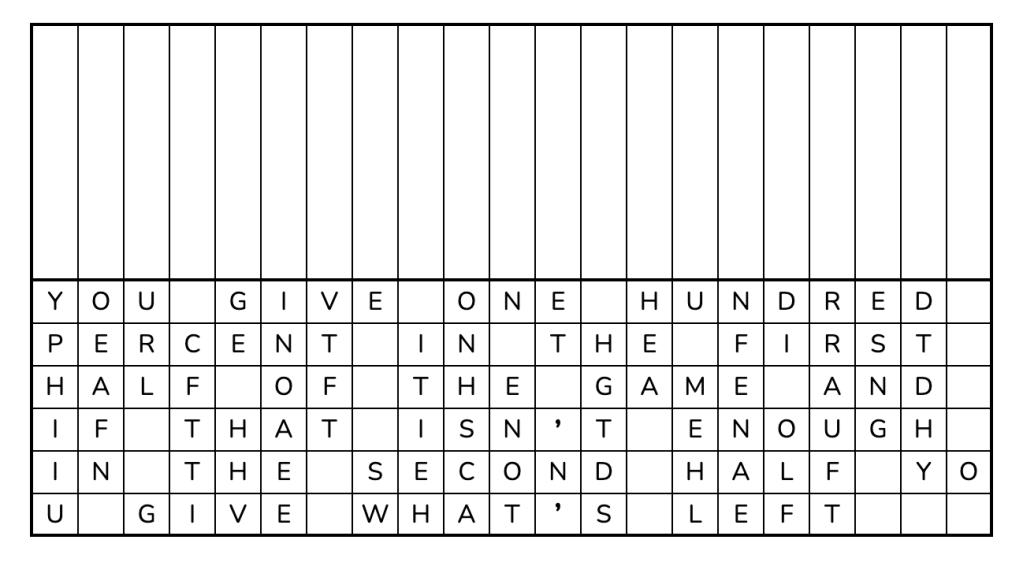
Next, add black squares for the spaces, then copy the letters from each column into the spaces above, in scrambled order—alphabetical will do:
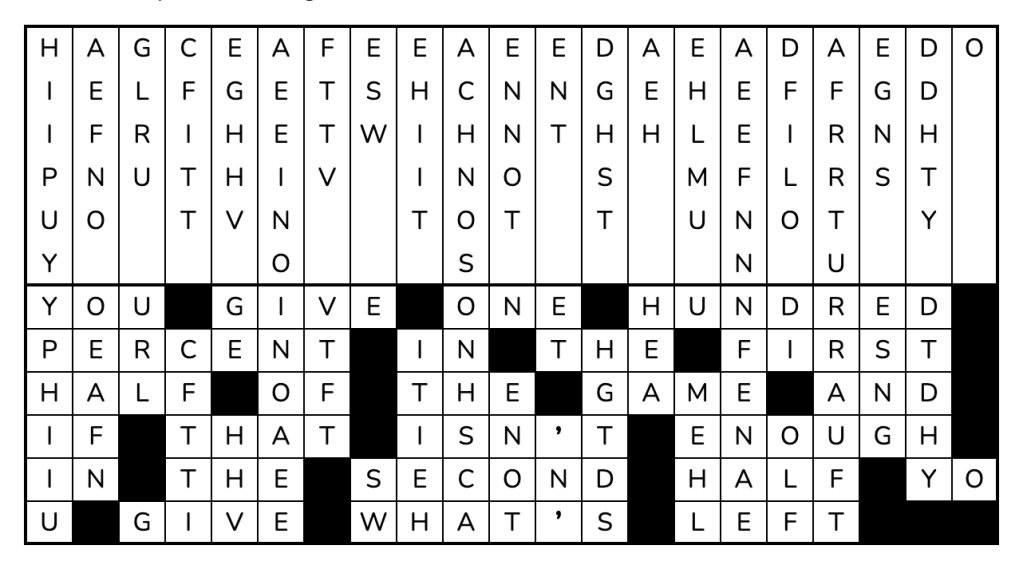
At this point, it’s useful to make a copy of the filled-in grid to save as your answer sheet, in case you need to make changes later…or in case it’s months later and you forgot what the message was and you just want to see the answer without solving the puzzle all over again.
Once you’ve checked everything over, it’s safe to delete the letters in the lower half of the puzzle and add whatever flavortext and/or design flair you like. And now your drop quote puzzle is complete!
 EnigMarch